My Moodboard (Andrei)
My storyboard shows the main interests and hobbies that make up my personality. It represents the things I enjoy doing in my free time and what inspires me.
One of my biggest interests is cars and motorbikes. The images of the modified car, the motorbike, and the car engine show my fascination with vehicles and how they work.
I’m also interested in photography and creativity. The camera represents my love for taking photos, and I use editing software like Adobe Photoshop and Adobe Lightroom to improve and edit my pictures.
Gaming is another hobby of mine, which is why I included platforms like Steam and Epic Games. It’s something I enjoy doing to relax and have fun.
I also included food like sushi, pasta, and desserts because I enjoy trying different foods. The landscapes and mountains represent my interest in travelling and exploring nature.
Overall, my storyboard shows the different things that interest me, such as cars, photography, gaming, food, and adventure.

For Haydar’s storyboard, I chose images that represent the things he enjoys and the hobbies that are important to him.
First, I included a camera, different camera lenses, and a person filming because Haydar is really interested in photography and videography. These images show his passion for creating videos and capturing moments. I also added Adobe Premiere Pro because it represents the editing process, which is an important part of making videos.
I also chose an image of a Volkswagen Golf R because Haydar likes cars, especially sporty and high-performance ones. It represents his interest in vehicles and car culture.
The drone and the stabiliser show his interest in modern filming equipment and technology. These tools are often used to create smoother and more professional videos.
I included the gaming controller as well because gaming is another activity that many people enjoy in their free time, and it represents entertainment and technology.
The image of the fighters in the ring represents sport and strength. I chose it to show the importance of staying active and interested in sports.
Finally, I added the image of pasta to represent food and everyday life, showing that enjoying good food is also part of a balanced lifestyle.
Overall, I chose these images because they reflect Haydar’s interests in videography, technology, cars, sports, and the things he enjoys in his daily life.

Types of Narrativ
1. Linear Narrative
This type of story is told in chronological order, from the beginning to the end.
Example: A character wakes up, goes on a journey, and eventually completes it.
2. Non-linear Narrative
Events are presented out of order. The story may include flashbacks or flash-forwards.
Example: A story starts at the end and then reveals how everything happened.
3. Circular Narrative
The story ends where it began. The character or situation returns to the same place, but something has changed.
Example: A hero returns home, now older and wiser.
4. Parallel Narrative
Two or more storylines run concurrently. They may connect or illustrate different aspects of the same event.
Example: One storyline follows a detective, while another follows the suspect.
5. Episodic Narrative
The story is divided into separate episodes or sections. Each part feels like a mini-story on its own.
Example: Each chapter depicts a different event in the character’s life.
6. Quest Narrative
The main character embarks on a journey or mission, facing challenges along the way.
Example: A character searches for a missing object or attempts to save someone.
7. Point-of-View Narrative
The story is told from one person's perspective (or sometimes multiple perspectives). Readers experience events through their eyes.
Example: A first-person diary-style story.
8. Interactive Narrative
Readers or players make choices that influence the direction of the story.
Example: A story-driven video game.
Uses and Gratifications Theory
Bluml er & Katz's Uses & Gratifications Theory explains why audiences actively choose and use certain media.
Usually, they use (TikTok, Instagram, YouTube, TV, etc.) for Entertainment or Escapism. People use this media to relax, inform, have fun, or to escape boredom and stress.
Why do I consume this?I consume this for entertainment and "escaping" some of the problems that stress me out.
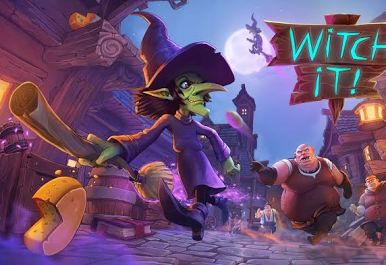
Importance of Storyboarding
Today, we learned why storyboarding is important in planning a film or video. Storyboarding helps us visualize our ideas before we start filming, which allows us to see how each shot will look. It also helps us organize the order of events, plan camera angles, and avoid mistakes while filming. Having a clear plan makes the production process faster, easier, and more professional.
Risk Assessment – Filming a Game
Hazard Identification & Controls
1. Eye Strain & Fatigue
Risk: Eye discomfort, headaches, reduced concentration. Who is at risk? Students filming and playing the game Likelihood: Medium Control Measures: Take a 5-10 minute break every hour.
Adjust screen brightness to a comfortable level.
Follow the 20–20–20 rule (look 20 feet away for 20 seconds every 20 minutes).
2. Back/Neck Strain from Poor Posture
Risk: Muscle strain, long-term posture issues Who is at risk: A student at the workstation Likelihood: Medium Control Measures: Use an ergonomic chair or adjust seat height.
Keep the monitor at eye level and sit with a neutral spine.
Take frequent stretching breaks.
3. Overheating Equipment
Risk: Equipment failure, risk of burns, potential fire hazard
Who is at risk: Anyone near the equipment Likelihood: Low–Medium Control Measures:
Ensure good ventilation around the console/PC.
Keep vents and fans clean and unobstructed to ensure optimal airflow.
Regularly monitor equipment temperature anduse thee built-in thermal protection software to automatically shut down or throttle devices if they overheat. Do not leave devices running unattended.
4. Trip Hazards from Cables
Risk: Slips, trips, or falls Who is at risk: Anyone in the workspace Likelihood: Low Control Measures: Secure or tidy loose cables using clips or cable ties.
Organize the space to avoid clutter.
Do not run cables across walkways.
5. Data Loss or Corrupted Footage
Risk: Loss of work, inability to complete coursework Who is at risk: Student Likelihood: Medium Control Measures: Save recordings to multiple drives (USB + cloud).
Regularly back up project files and recordings.
Check storage capacity before recording.
6. Exposure to Inappropriate/18+ Content
(Applies if filming PEGI 16 or 18 games.) Risk: Recording or viewing unsuitable content. Who is at risk: Student, tutor reviewing work. Likelihood: Low Control Measures: Confirm with the tutor that the game is acceptable for academic use.
Enable or use content filters where possible.
Avoid including graphic or extreme sections unless absolutely necessary for your coursework.
7. Online Interactions (Privacy and Harassment)
Risk: Exposure to offensive content, privacy breaches Who is at risk: Student Likelihood: Low–Medium Control Measures: Mute chat or turn off voice communications when recording to ensure optimal audio quality.
Blur usernames during editing.
Avoid public lobbies unless required for footage.
8. Copyright and Legal Issues
Risk: Misuse of copyrighted material. Who is at risk: Student/institution Likelihood: Control Measures: Low Use footage under "fair dealing" for educational purposes.
Use copyright-free, licensed, or in-game music only.
Do not use extracted assets (models, music) without permission.
Clearly document all sources of media and obtain written permission or licenses where required to ensure full compliance with copyright laws.
9. Software Crashes or Malware
Risk: Lost recordings, compromised device. Who is at risk: Student Likelihood: Low Control Measures: Use trusted software (OBS, Xbox Game Bar, Nvidia ShadowPlay ).
Keep software and systems updated to the latest version.
Run antivirus software and avoid unverified downloads.
10. Stress or Frustration During Gameplay
Risk: Reduced well-being, impaired focus. Who is at risk: Student Likelihood: Medium Control Measures: Take short breaks if feeling stressed or frustrated.
Choose a game you are comfortable recording.
Maintain a calm working environment.
Overall Risk Level
Low, Medium, or High ( Provided all control measures are followed )
Low, provided all measures are followed.
Conclusion
With proper posture, breaks, data backups, and ethical handling of online content, filming a game for UAL coursework is a low-risk activity. The main hazards relate to screen usage, equipment safety, and privacy, but these can be easily managed through straightforward precautions.s
Multicam Project (PremierePro)
https://youtu.be/itU_nv0Sydo
Today, we learned a skill in Premiere Pro that makes editing easier when working with multiple cameras and audio sources. By using this technique, we can choose the best recorded sound and switch between camera angles more smoothly, which helps improve the overall quality of our edits.
Color Grading
What is color grading?
Color grading is the artistic process n pinst-production of altering an image's colours, contrast, and brightness to create a specific mood, enhance storytelling, and ensure visual consistency across scenes.
The color grade successfully enhances the mood. By color grading, I warmed the tones in outdoor scenes and made them feel inviting and natural, while in interior shots, I created a calm, intimate atmosphere. Contrast is well-balanced, with no blown-out highlights or lost shadow detail, making the footage look polished and professional.
To get this result, I had to use the Lumetri color panel, which I used to adjust the white balance to fix a slight blue tint. Also, to set exposure and contrast to ensure consistent brightness across clips.
Second, I applied a custom creative preset to unify the color palette, then fine-tuned with the hHcurves tool to add depth to skies and skin tones.
In the end, I adjusted the sharpness in the effects control panel for a finished look.
Risk Assessment – Filming a Game
Hazard Identification & Controls
1. Eye Strain & Fatigue
Take a 5-10 minute break every hour.
Adjust screen brightness to a comfortable level.
Follow the 20–20–20 rule (look 20 feet away for 20 seconds every 20 minutes).
2. Back/Neck Strain from Poor Posture
Use an ergonomic chair or adjust seat height.
Keep the monitor at eye level and sit with a neutral spine.
Take frequent stretching breaks.
3. Overheating Equipment
Risk: Equipment failure, risk of burns, potential fire hazard
Control Measures:
Ensure good ventilation around the console/PC.
Keep vents and fans clean and unobstructed to ensure optimal airflow.
Regularly monitor equipment temperature anduse thee built-in thermal protection software to automatically shut down or throttle devices if they overheat. Do not leave devices running unattended.
4. Trip Hazards from Cables
Secure or tidy loose cables using clips or cable ties.
Organize the space to avoid clutter.
Do not run cables across walkways.
5. Data Loss or Corrupted Footage
Save recordings to multiple drives (USB + cloud).
Regularly back up project files and recordings.
Check storage capacity before recording.
6. Exposure to Inappropriate/18+ Content
Confirm with the tutor that the game is acceptable for academic use.
Enable or use content filters where possible.
Avoid including graphic or extreme sections unless absolutely necessary for your coursework.
7. Online Interactions (Privacy and Harassment)
Mute chat or turn off voice communications when recording to ensure optimal audio quality.
Blur usernames during editing.
Avoid public lobbies unless required for footage.
8. Copyright and Legal Issues
Use footage under "fair dealing" for educational purposes.
Use copyright-free, licensed, or in-game music only.
Do not use extracted assets (models, music) without permission.
Clearly document all sources of media and obtain written permission or licenses where required to ensure full compliance with copyright laws.
9. Software Crashes or Malware
Use trusted software (OBS, Xbox Game Bar, Nvidia ShadowPlay ).
Keep software and systems updated to the latest version.
Run antivirus software and avoid unverified downloads.
10. Stress or Frustration During Gameplay
Take short breaks if feeling stressed or frustrated.
Choose a game you are comfortable recording.
Maintain a calm working environment.
Overall Risk Level
Low, Medium, or High ( Provided all control measures are followed )
Low, provided all measures are followed.
Conclusion
With proper posture, breaks, data backups, and ethical handling of online content, filming a game for UAL coursework is a low-risk activity. The main hazards relate to screen usage, equipment safety, and privacy, but these can be easily managed through straightforward precautions.s
Risk Assessment Checklist – Filming on Set
1. Environment & Location Safety
☐ Have you carried out a location/environmental risk assessment?
☐ Is there any slip, trip, or fall hazard present?
☐ Is the floor clear of cables, clutter, or loose objects?
☐ Are the weather conditions safe (if outdoors)?
☐ Is the area well-lit and visibility adequate?
☐ Are exits and escape routes clear and accessible?
☐ Are there any restrictions or safety notices you must follow?
☐ Have you carried out a location/environmental risk assessment?
☐ Is there any slip, trip, or fall hazard present?
☐ Is the floor clear of cables, clutter, or loose objects?
☐ Are the weather conditions safe (if outdoors)?
☐ Is the area well-lit and visibility adequate?
☐ Are exits and escape routes clear and accessible?
☐ Are there any restrictions or safety notices you must follow?
2. Equipment Safety
☐ Are cameras, tripods, lights, and audio equipment in safe working order?
☐ Are the tripods stable and locked correctly?
☐ Are lights properly secured and not overheating?
☐ Are extension leads and adapters safe and suitable for the load?
☐ Are all cables secured/taped to avoid tripping?
☐ Is equipment stored safely when not in use?
☐ Have you checked battery levels and charged equipment?
☐ Are cameras, tripods, lights, and audio equipment in safe working order?
☐ Are the tripods stable and locked correctly?
☐ Are lights properly secured and not overheating?
☐ Are extension leads and adapters safe and suitable for the load?
☐ Are all cables secured/taped to avoid tripping?
☐ Is equipment stored safely when not in use?
☐ Have you checked battery levels and charged equipment?
3. Electrical Safety
☐ Are there too many devices plugged into one socket (overloading)?
☐ Are all wires and cables free from damage?
☐ Are the sockets dry and safe to use?
☐ Are lights and power sources properly grounded?
☐ Is water kept away from electrical equipment?
☐ Are there too many devices plugged into one socket (overloading)?
☐ Are all wires and cables free from damage?
☐ Are the sockets dry and safe to use?
☐ Are lights and power sources properly grounded?
☐ Is water kept away from electrical equipment?
4. Cast & Crew Safety
☐ Has everyone been briefed on the safety plan?
☐ Does everyone know their roles and responsibilities?
☐ Are actors aware of any stunts, movements, or physical actions?
☐ Has consent been obtained for any sensitive scenes?
☐ Are there any accessibility or medical needs to consider?
☐ Does anyone require PPE?
☐ Has everyone been briefed on the safety plan?
☐ Does everyone know their roles and responsibilities?
☐ Are actors aware of any stunts, movements, or physical actions?
☐ Has consent been obtained for any sensitive scenes?
☐ Are there any accessibility or medical needs to consider?
☐ Does anyone require PPE?
5. Manual Handling
☐ Are you lifting heavy equipment correctly?
☐ Has everyone been shown proper lifting techniques?
☐ Is help available for carrying heavy or awkward equipment?
☐ Are you lifting heavy equipment correctly?
☐ Has everyone been shown proper lifting techniques?
☐ Is help available for carrying heavy or awkward equipment?
6. Fire Safety
☐ Is there a working fire alarm nearby?
☐ Do you know where the fire exits are?
☐ Are fire extinguishers accessible and appropriate for the area?
☐ Are hot lights placed away from flammable materials?
☐ Are smoke machines (if used) operated safely and by trained personnel?
☐ Is there a working fire alarm nearby?
☐ Do you know where the fire exits are?
☐ Are fire extinguishers accessible and appropriate for the area?
☐ Are hot lights placed away from flammable materials?
☐ Are smoke machines (if used) operated safely and by trained personnel?
7. Filming Activities
☐ Are you using props safely and appropriately?
☐ Are mock fights or action scenes choreographed and supervised?
☐ Is fake blood or makeup used safely and hygienically?
☐ Are loud sounds or SFX controlled to safe levels?
☐ Are drones or moving cameras used with proper clearance and supervision?
☐ Are you using props safely and appropriately?
☐ Are mock fights or action scenes choreographed and supervised?
☐ Is fake blood or makeup used safely and hygienically?
☐ Are loud sounds or SFX controlled to safe levels?
☐ Are drones or moving cameras used with proper clearance and supervision?
8. Weather & Outdoor Hazards (if filming outside)
☐ Have you checked the weather forecast?
☐ Are you prepared for wind, rain, sun, or low temperatures?
☐ Is the equipment protected from weather damage?
☐ Are vehicles or members of the public nearby considered in the plan?
☐ Is the ground even and safe for movement?
☐ Have you checked the weather forecast?
☐ Are you prepared for wind, rain, sun, or low temperatures?
☐ Is the equipment protected from weather damage?
☐ Are vehicles or members of the public nearby considered in the plan?
☐ Is the ground even and safe for movement?
9. Legal & Ethical Considerations
☐ Have you got permission to film at the location?
☐ Are there any copyright or signage issues?
☐ Have you avoided capturing members of the public without consent?
☐ Are minors protected and supervised appropriately?
☐ Are risk assessments and release forms completed?
☐ Have you got permission to film at the location?
☐ Are there any copyright or signage issues?
☐ Have you avoided capturing members of the public without consent?
☐ Are minors protected and supervised appropriately?
☐ Are risk assessments and release forms completed?
10. Emergency Planning
☐ Do you have a first aid kit available?
☐ Is there a trained first aider on set?
☐ Do you know the nearest emergency services location?
☐ Is someone responsible for calling emergency services if needed?
☐ Is everyone aware of the nearest assembly point?
☐ Do you have a first aid kit available?
☐ Is there a trained first aider on set?
☐ Do you know the nearest emergency services location?
☐ Is someone responsible for calling emergency services if needed?
☐ Is everyone aware of the nearest assembly point?
Final Check
☐ All risks assessed and control measures in place
☐ Crew briefed and sign-in sheet completed
☐ Location left safe and tidy
☐ Risk assessment approved by the relevant person
Understanding Creative Media Companies
Media Product: Avengers: Endgame (2019)
Who made this product?
Marvel Studios – This is the company that produced the film.
Walt Disney Studios Motion Pictures – This company distributed the film.
Parent Company
Both companies belong to The Walt Disney Company.
Disney bought Marvel in 2009, so Marvel Studios is now fully owned by Disney.
How integrated is the company?
Disney uses vertical integration, which means that it controls many stages of the media process:
Production – Marvel Studios makes the film.
Distribution – Disney distributes the film to cinemas worldwide.
Marketing – Disney promotes the film.
Streaming – Disney puts the film on Disney+.
Merchandising – Disney sells toys, games, clothing, etc.
Theme Parks – Disney uses Marvel characters in attractions.
Disney owns many companies, so it can use all of them to increase the success of one product.
Press kit
☐ All risks assessed and control measures in place
☐ Crew briefed and sign-in sheet completed
☐ Location left safe and tidy
☐ Risk assessment approved by the relevant person
Understanding Creative Media Companies
Media Product: Avengers: Endgame (2019)
Who made this product?
Marvel Studios – This is the company that produced the film.
Walt Disney Studios Motion Pictures – This company distributed the film.
Parent Company
Both companies belong to The Walt Disney Company.
Disney bought Marvel in 2009, so Marvel Studios is now fully owned by Disney.
How integrated is the company?
Disney uses vertical integration, which means that it controls many stages of the media process:
Production – Marvel Studios makes the film.
Distribution – Disney distributes the film to cinemas worldwide.
Marketing – Disney promotes the film.
Streaming – Disney puts the film on Disney+.
Merchandising – Disney sells toys, games, clothing, etc.
Theme Parks – Disney uses Marvel characters in attractions.
Disney owns many companies, so it can use all of them to increase the success of one product.
Press kit
What is a Press Kit?
A press kit is a collection of materials that provide journalists and media outlets with all the information they need to write about a company, product, or event.
A press kit is a collection of materials that provide journalists and media outlets with all the information they need to write about a company, product, or event.
What is it for?
A press kit helps:
Inform the Media: It gives journalists key facts quickly.
Shape the Story: It helps control how the company or product is presented in the media.
Maintain Consistency: It ensures the message stays the same across different outlets.
Build Media Relationships: It makes it easier for journalists to write about you.
Support Marketing: It helps promote events, products, or company news.
A press kit helps:
Inform the Media: It gives journalists key facts quickly.
Shape the Story: It helps control how the company or product is presented in the media.
Maintain Consistency: It ensures the message stays the same across different outlets.
Build Media Relationships: It makes it easier for journalists to write about you.
Support Marketing: It helps promote events, products, or company news.
What Might a Press Kit Contain?
Press Release: A document announcing news (like a product launch or event).
Fact Sheet: A summary with key details about the company or product.
Background Info: A brief overview of the company’s history or mission.
Biographies: Short profiles of important people (CEO).
Images/Logos: Photos or graphics for media to use.
Media Coverage: Examples of previous press mentions.
Videos/Demos: Clips showing the product or event.
Contact Info: Details for media to reach out for more info.
Quotes/Testimonials: Positive feedback or expert opinions.
Product Samples (optional): Physical or digital samples for journalists.
In short, a press kit is like a ready-made toolkit that makes it easy for the media to cover your story.
Press Release: A document announcing news (like a product launch or event).
Fact Sheet: A summary with key details about the company or product.
Background Info: A brief overview of the company’s history or mission.
Biographies: Short profiles of important people (CEO).
Images/Logos: Photos or graphics for media to use.
Media Coverage: Examples of previous press mentions.
Videos/Demos: Clips showing the product or event.
Contact Info: Details for media to reach out for more info.
Quotes/Testimonials: Positive feedback or expert opinions.
Product Samples (optional): Physical or digital samples for journalists.
In short, a press kit is like a ready-made toolkit that makes it easy for the media to cover your story.

No comments:
Post a Comment